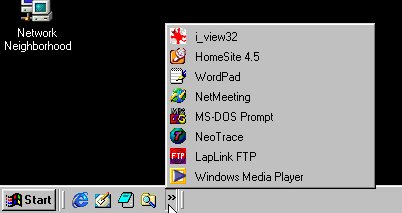
You will notice I have made alot of shortcuts on my taskbar,and doing so is easy,
any short cut you wish to place here is just draged and droped here.You can go through
the startmenu and right click on any program and select the sendto tab,there you will see
desktop(create shortcut)then you can drag and drop the shortcut to the taskbar.
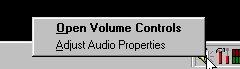
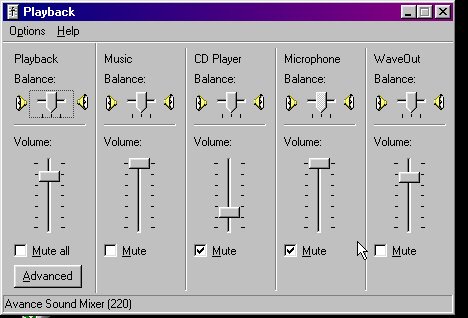
The controls for the volume are easy to use,note that most all sound is affected by the
wave output control,so if you have sound problems check here first just in case something has
been checked,and thus disabled.
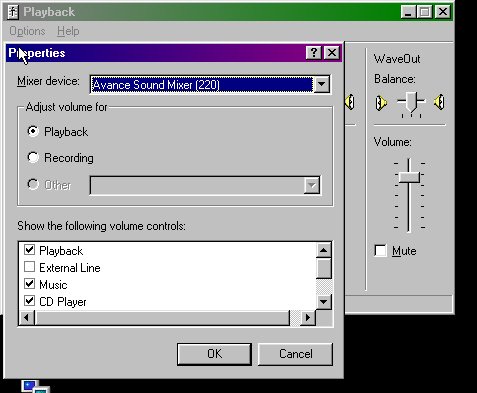
Through here you can chose what controls are visable in the volume control panel.
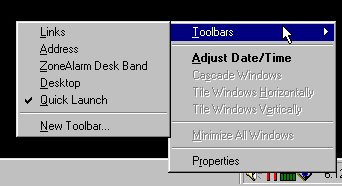
By right clicking the taskbar you will get this.Notice that the quicklinks is checked here,
you can also place what is on the desktop on the taskbar,or the address book and the favorites folder.
For a fact you can palce any folder you wish on the taskbar,to close them you right click where the folder name is
then chose close.The new tool bar will create a new tool bar of your choice.
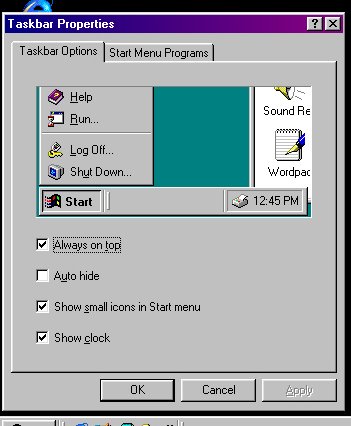
This is the taskbar proporties settings,as you can see you can have the taskbar always ontop or autohide,
and a coice of little or large icons in the startmenu,you can even remove the clock from the taskbar too.
Use the startmenu tab to ad or remove shortcuts to the startmenu,the advanced in the startmenu tab opens the startmenu folder.
You will also notice on the startmenu tab the clear documents"note;hitting this will erase all contents of the my docmunets folder.